Link My Health Record to myGov using an Identity Verification Code
One of the ways you can link My Health Record to your myGov account is using an Identity Verification Code (IVC).
An IVC is issued to you when you verify your identity with My Health Record using an assisted process.
You may receive an IVC when you register for My Health Record:
- using a My Health Record registration form
- over the phone via the My Health Record help line
- via your healthcare provider, if they offer assisted registration.
If you need assistance linking, or your IVC has expired, the My Health Record help line can verify your identity over the phone and issue you an IVC.
-
Sign in to myGov
Visit my.gov.au and sign in using your username and password or Digital ID.
-
View and link services
Select View and link services from your myGov home page.

Select Link next to My Health Record.

-
Verify your identity
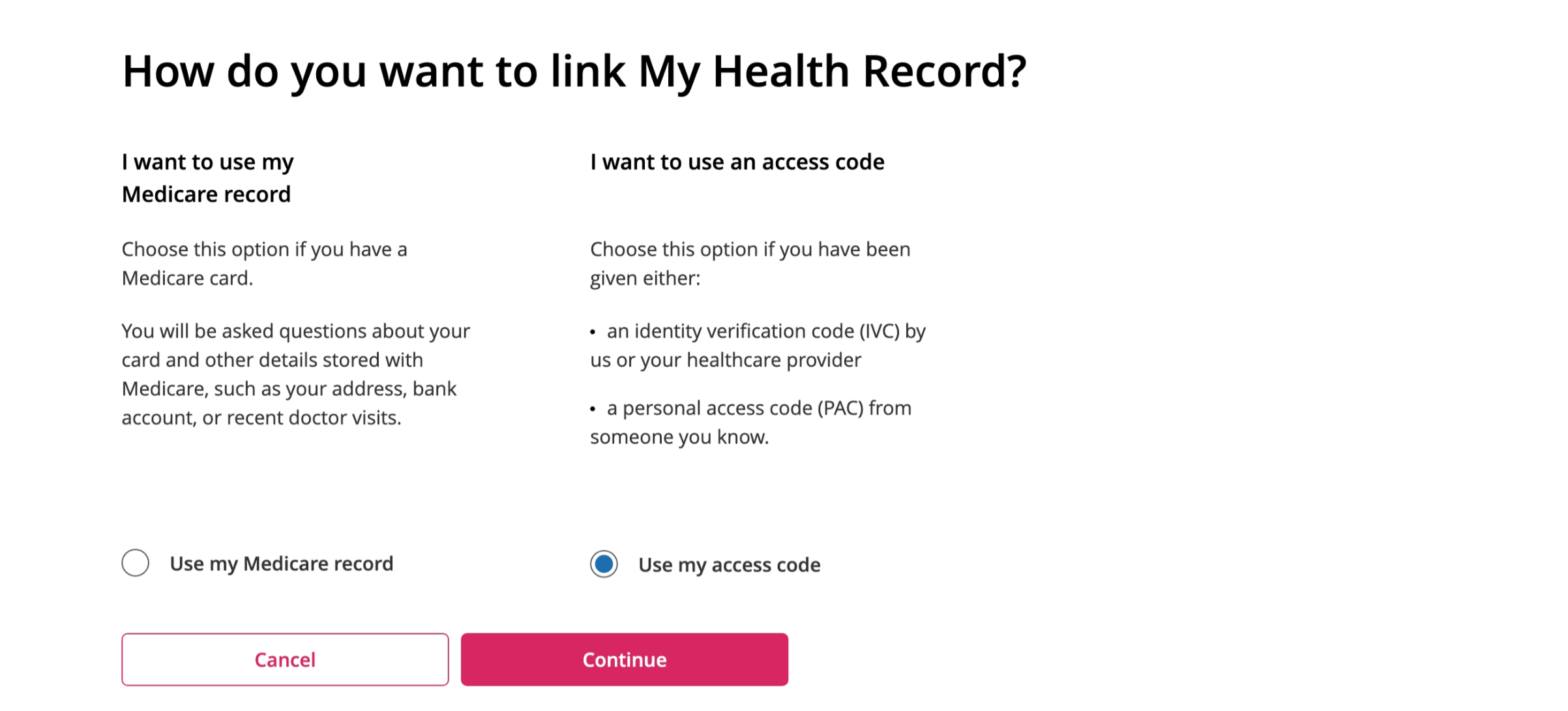
Before you can access My Health Record, you need to verify your identity using your IVC. Select Use my access code and then select Continue.
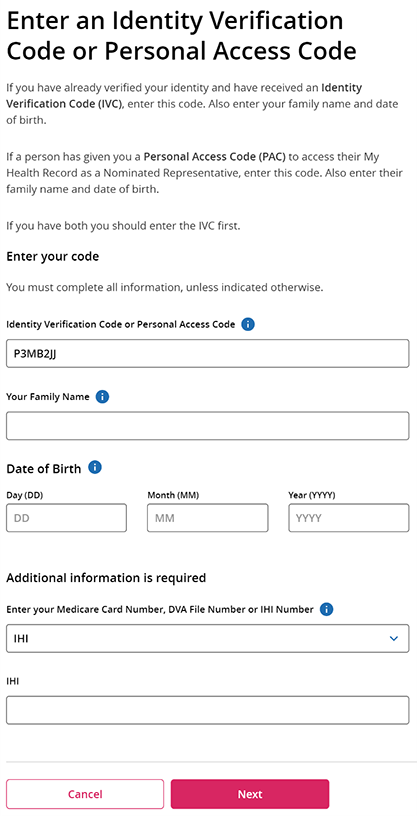
Enter your IVC, family name and date of birth, IHI number and select Next.
-
Finish linking
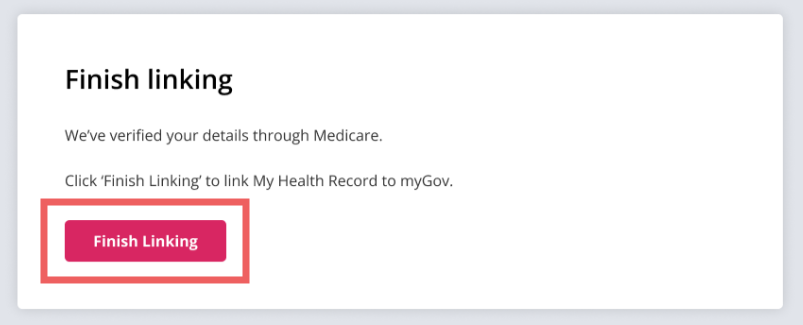
Follow the prompts and select Finish linking to complete linking My Health Record to myGov.