Link Medicare to myGov
Before you can access the 1800MEDICARE app, you need to have My Health Record linked in myGov first. Linking to My Health Record is easier if you've already linked Medicare to myGov.
To link Medicare to your myGov account, you'll need your Medicare card details, including your card number, individual reference number and have either:
- a linking code given to you by a Medicare staff member
- access to your mobile phone number or email address registered with Medicare to get a one-time passcode.
You'll also need an identity document such as:
- your Australian birth certificate
- a current Australian driver licence
- visa details.
-
Sign in or create an account with myGov
Visit my.gov.au and sign in using your username and password or Digital ID.
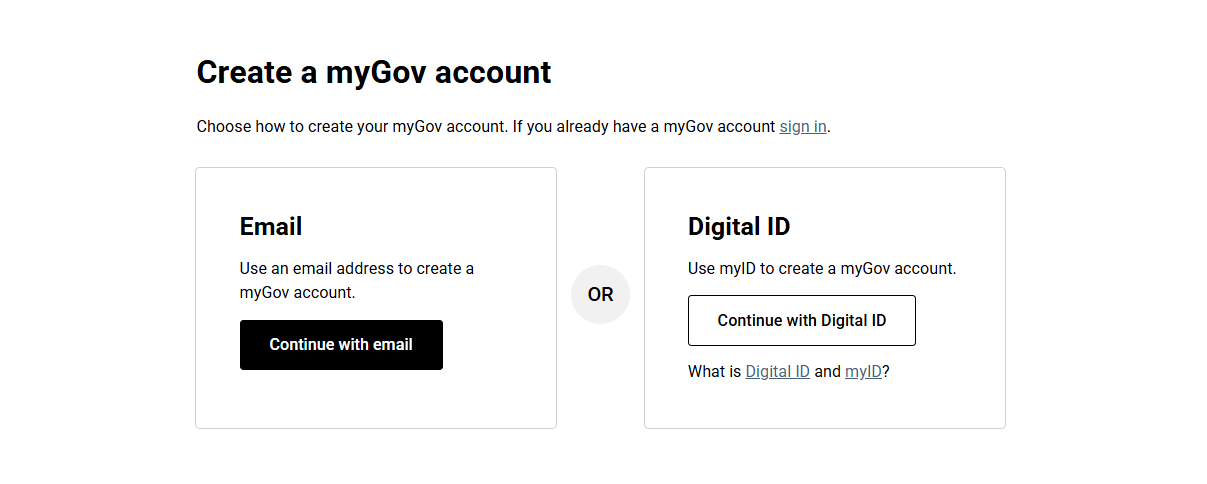
If you don't have a myGov account, select Create account and follow the prompts.

If you're having trouble setting up a myGov account, call the myGov helpdesk:
- from within Australia on 13 23 07, select option 1.
- from outside Australia on +61 1300 169 468 select option 1.
The myGov helpdesk is available at the following times:
- Monday to Friday 7am – 10pm AEST
- Saturday to Sunday 10am – 5pm AEST
-
View and link services
Select View and link services from your myGov home page.

Select Link next to Medicare.

-
Link Medicare to myGov
Follow the prompts to link Medicare using your Medicare card details or linking code.
For more information, visit the myGov website: Link Medicare.