View and manage a child's record
If you are an authorised or nominated representative, you can use your own login to the 1800MEDICARE app to view or manage their health information.
If your dependant is under 14 and you have parental responsibility for them, you can manage their record as their authorised representative. Up until the age of 14, a parent or guardian is automatically an authorised representative.
When a child turns 14, all representatives will be removed from their record. If they choose to, they can give their parent or guardian access as a nominated representative.
-
Sign in to myGov
Visit my.gov.au and sign in using your username and password or Digital ID.
-
Select My Health Record from your list of 'Linked services'
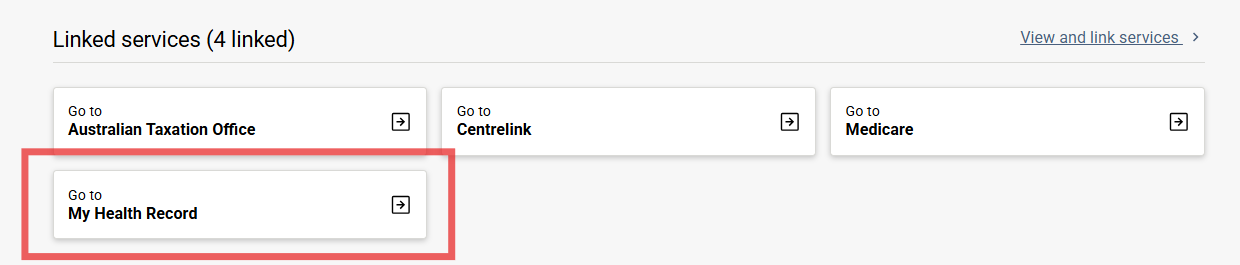
If you haven't linked your own record, you may need to complete that process first or use an invitation code. View our guide: Link My Health Record to myGov.
-
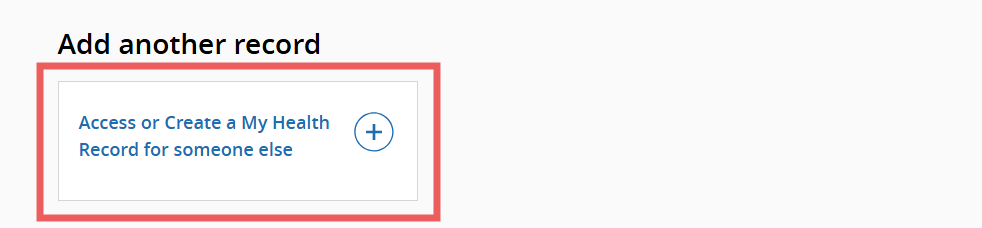
Select 'Access or Create a My Health Record for someone else'
-
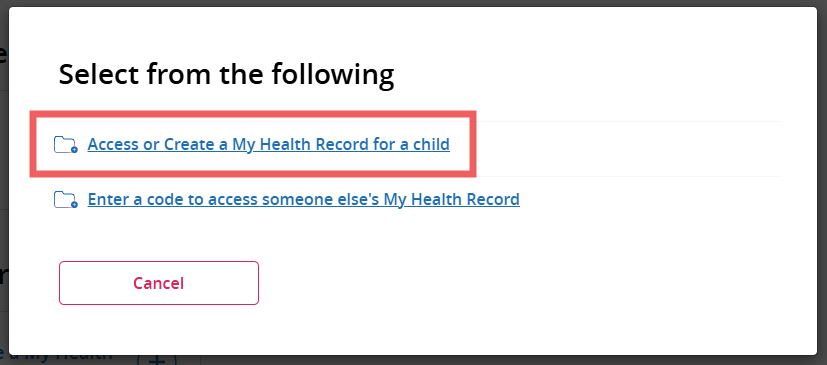
Select 'Access or Create a My Health Record for a child'
-
Search for your child in Medicare records
Search for your child in Medicare records by entering their details including their name, sex, date of birth and Medicare number details, then select Next.
They must be listed on your Medicare card, which is evidence of your parental responsibility.
-
Read and acknowledge the parental declaration
If you have previously cancelled your child's My Health Record, you will also see registration information.
Agree to the Application and Consent page. Once completed, you will be an authorised representative on your child's record. This means you have full control of their My Health Record.