Accept an invitation to be a nominated representative
If you have been invited to be a nominated representative, you will need to accept the invitation to view or help manage a record using the 1800MEDICARE app.
You will need to accept the invitation to be a nominated representative through My Health Record.
-
Sign in to myGov
Visit my.gov.au and sign in using your username and password or Digital ID.
-
Select My Health Record from your list of 'Linked services'
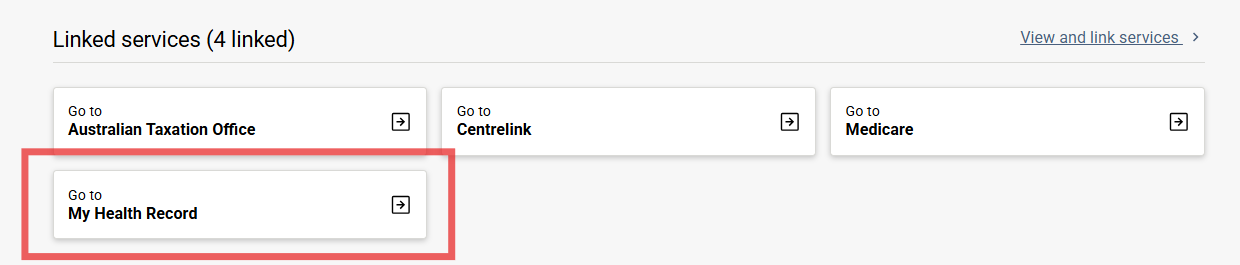
If you haven't linked your own record, you may need to complete that process first or use an invitation code. View our guide: Link My Health Record to myGov.
-
Select 'Access or Create a My Health Record for someone else'
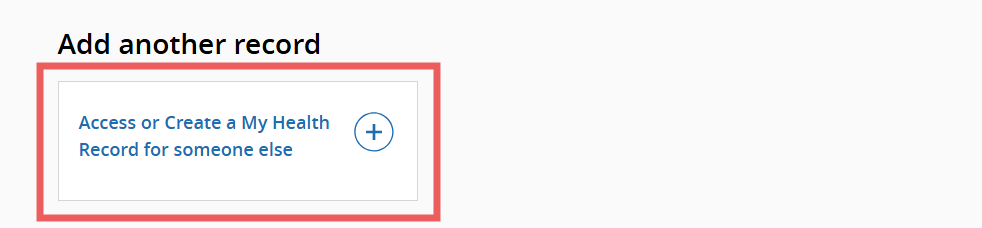
-
Select 'Enter a code to access someone else's My Health Record'
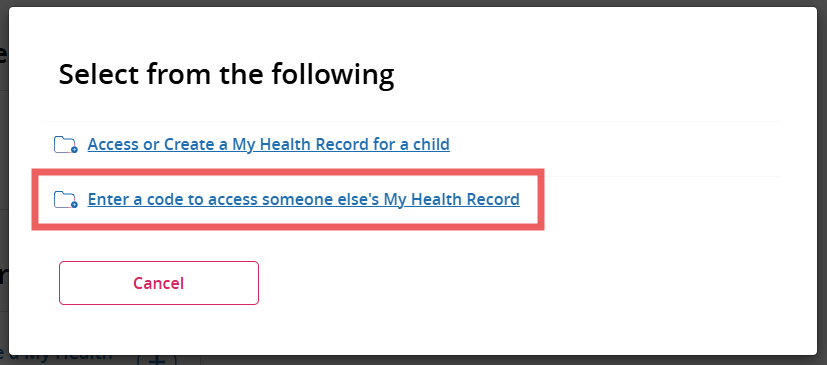
-
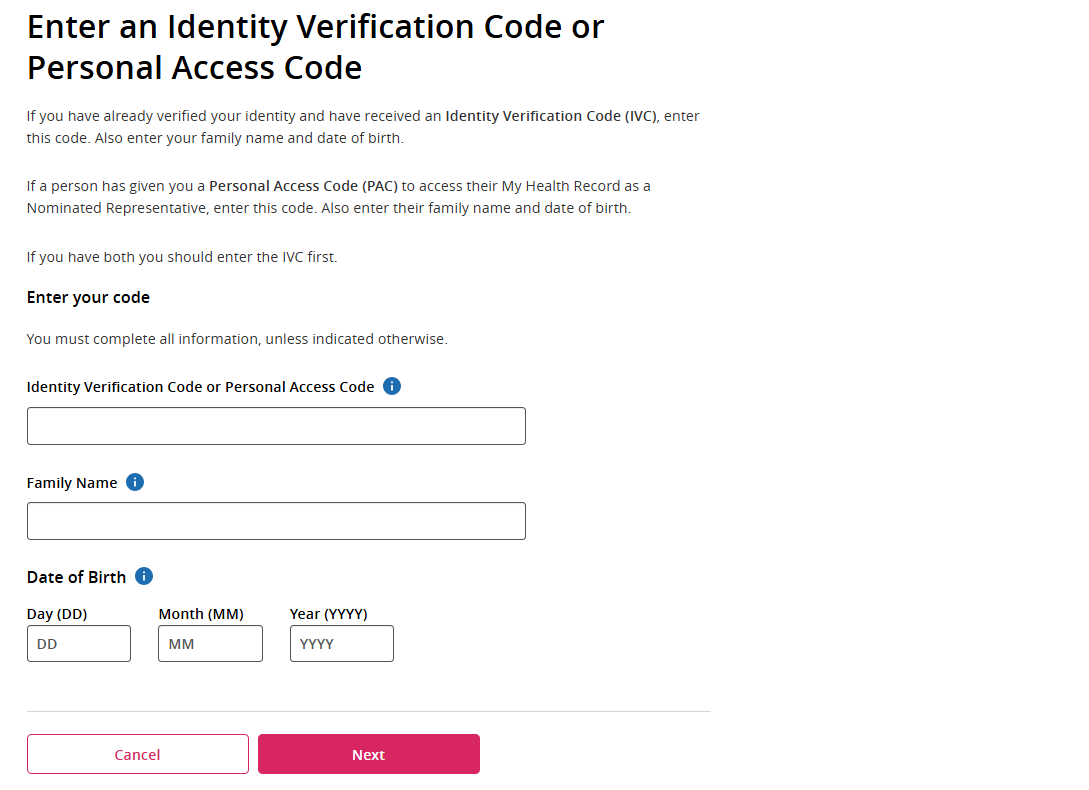
Enter the information provided to you
You must enter:
- Personal Access Code you have been given
- Family name of the My Health Record holder (not your own)
- Birth date of the My Health Record holder (not your own)
Select Next.
-
Accept the participation information
After reading the Participation Information section, tick the I agree box and select Continue.
You will now be able to access the record by selecting the person's name from the welcome screen.
-
View or help manage their record in the 1800MEDICARE app
Open the app on your device, select Log in and choose the record you want to access.
If you are managing multiple records, you can switch between the records in the app.
If you don't already have the app, view our guide: Download the 1800MEDICARE app.