
View My Health Record using an app
You can securely view health information in your record through an app. You can also access your proof of vaccination and immunisation history.
Getting started
If you have already set up a My Health Record, you can view information in your record using a mobile app.
There are 2 apps to choose from:
Using the 1800MEDICARE app
Using the 1800MEDICARE app
A secure and convenient way to keep your electronic prescriptions, view your key health information, find and book a health service, access to Medicare information as well as enrolment and claiming services and much more.
Learn more about the 1800MEDICARE app.
Using the healthdirect app
Using the healthdirect app
The healthdirect app helps you make informed decisions about your health. It provides easy access to many user-friendly self-help tools and functions including a symptom checker, health service finder, medicines information library, searchable health topics and quick-call health and emergency phone numbers.
The app also integrates with My Health Record, providing you with an easy way to access your health record.
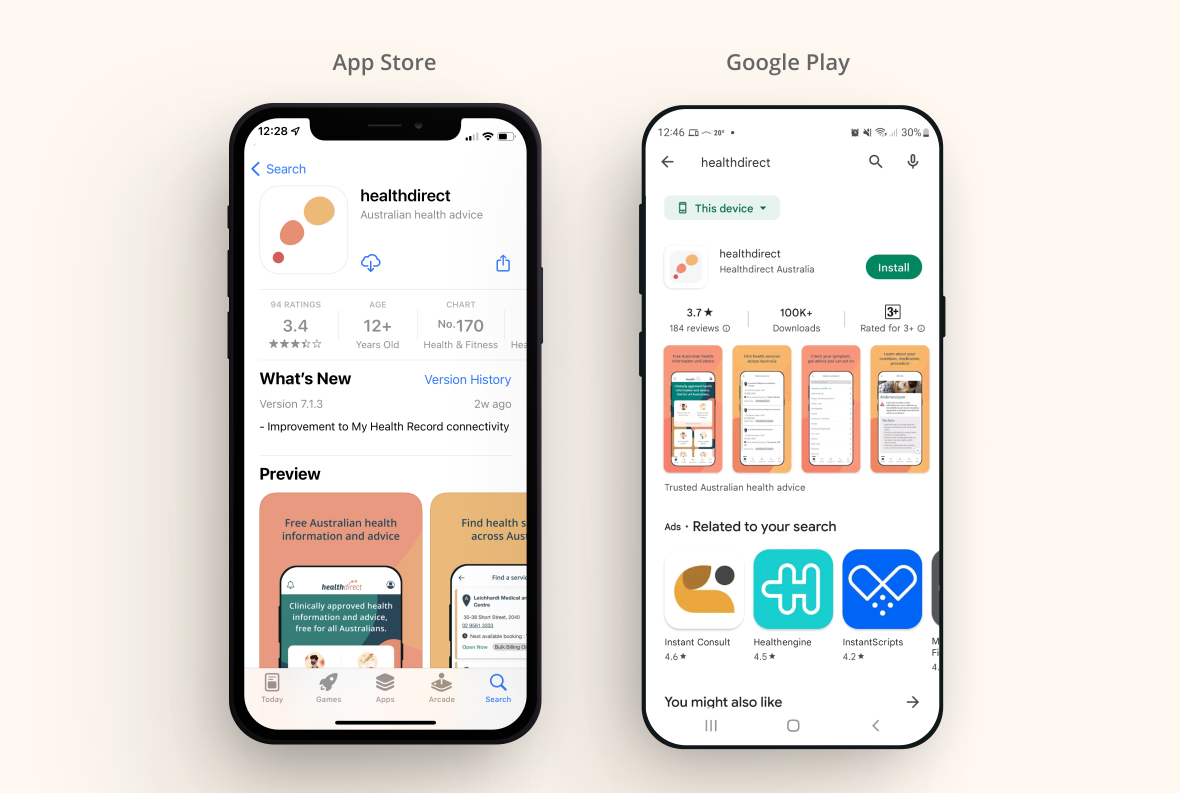
Step 1.
Download the healthdirect app from the Google Play or App Store
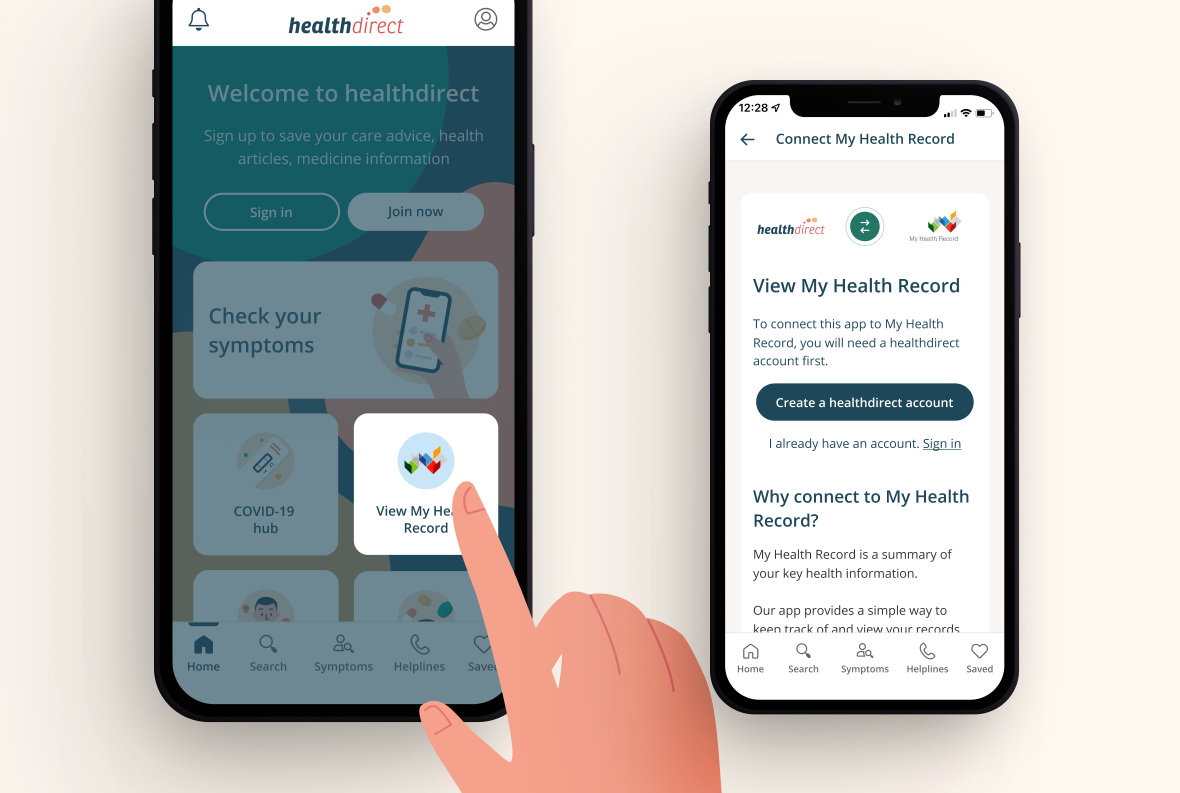
Step 2.
Create a healthdirect account to view your health record
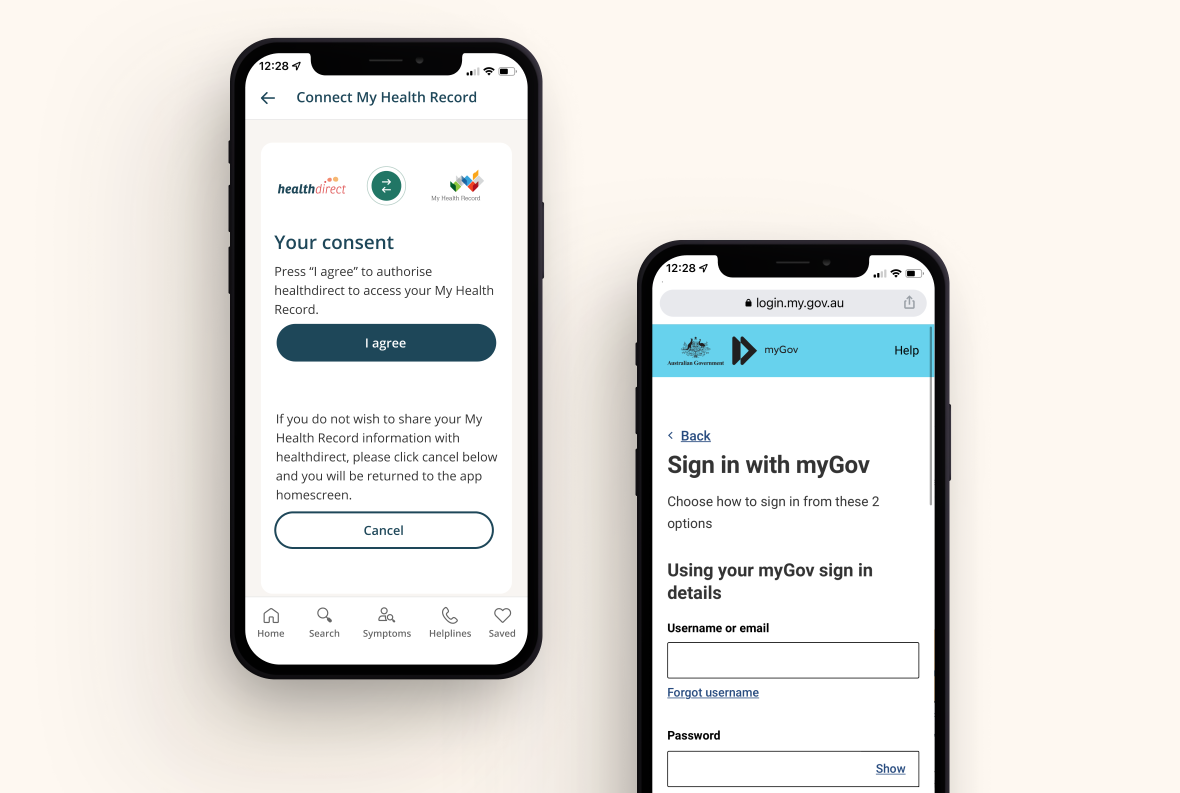
Step 3.
Provide consent for healthdirect to access your health record by signing-in with MyGov
Step 4.
View your COVID-19 documents, immunisations, pathology reports and Medicare items