Upload Participation Agreement
Once an organisation has completed the initial PCA registration steps, the next screen to appear will be the Participating Organisation screen and it will be displayed with a yellow action notification of:
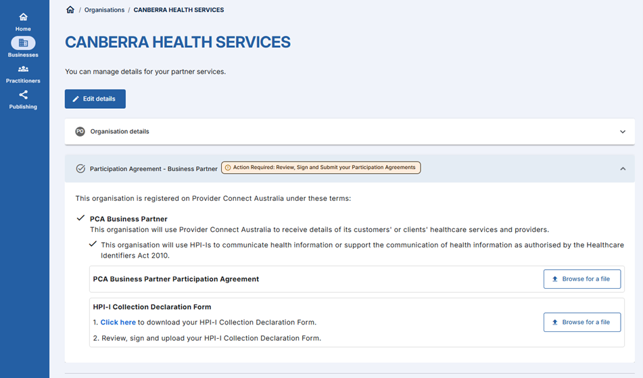
Summary of steps
- On the Participating Organisation screen, click on Action Required: Review, Sign and Submit your Participation Agreement.
- In the PCA Business Partner Participation Agreement section:
- Upload a copy of the participation agreement countersigned by the Agency
(If applicable): In the HPI-I Collection Declaration Form section: - Click to download your HPI-I Collection Declaration Form.
- Review, sign and upload your HPI-I Collection Declaration Form.
- Upload a copy of the participation agreement countersigned by the Agency
- Once submitted, your application will be Pending Approval. Please make contact with the PCA team at pca@digitalhealth.gov.au if you have not done so already to approve your organisation’s registration request.
Continue to next step: New registration referral link